

Tell us what matters
Set your budget, schedule, diet, household size, cooking time and what is already in the pantry.
Plan your week in minutes
Meal Planner builds breakfast, lunch and dinner around your budget, schedule and diet — then turns the whole week into one organized shopping list.
How it works
From a few practical choices to a week you can actually follow.
Set your budget, schedule, diet, household size, cooking time and what is already in the pantry.
Get breakfast, lunch and dinner with photos, estimated prices, cooking times, ingredients and steps.
Everything still missing becomes one organized grocery list, ready to check off as you go.
Everything in one app
Everything you need for a simpler, smarter week — without another spreadsheet.
Breakfast, lunch and dinner tailored to your budget, schedule and diet.
See the shape of the week before you shop or start cooking.
Plans respect your diet, dislikes, allergies and the food you enjoy.
Portions and ingredient quantities scale to the people at your table.
Use what you already have so you buy less and waste less.
Everything still needed for the week, together in one place.
Your week at a glance
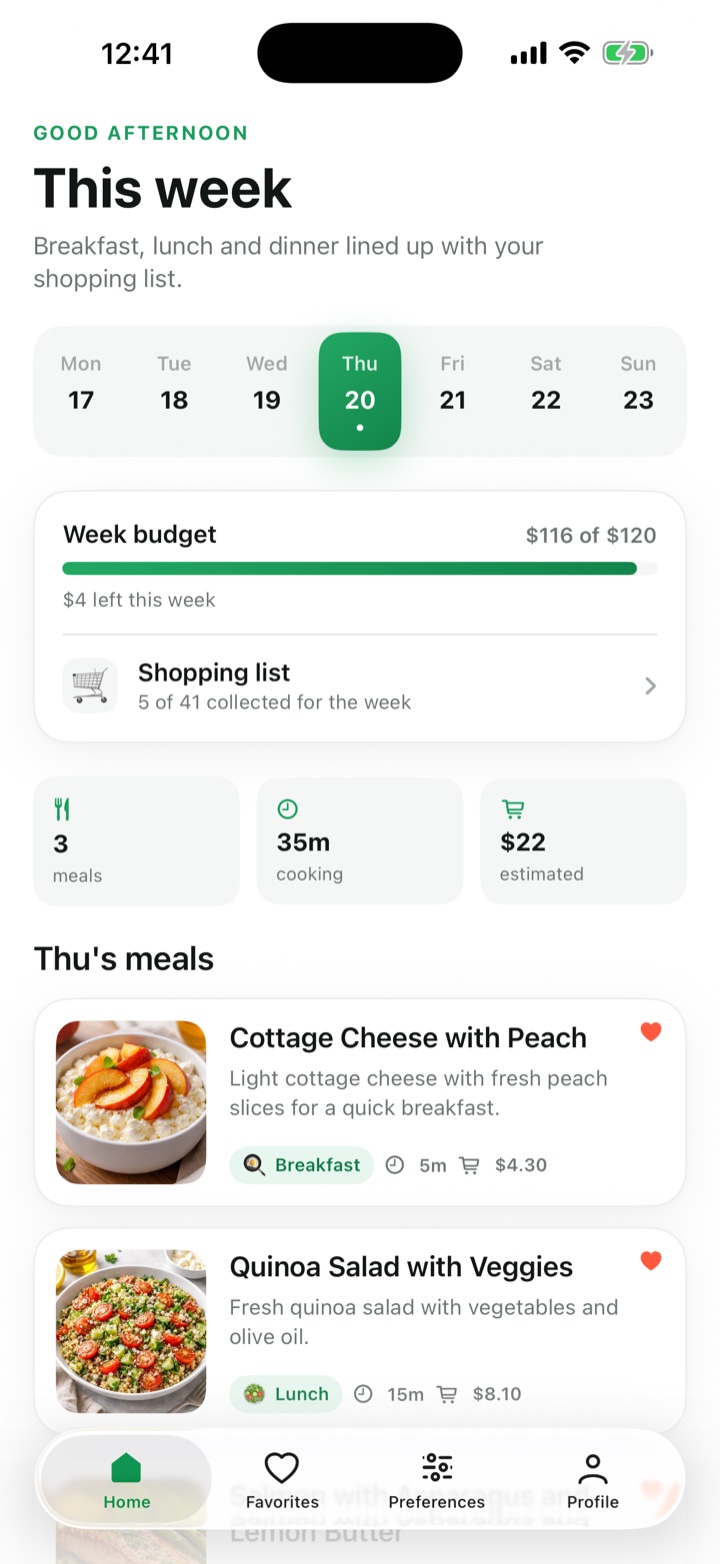
Pick a day and see exactly what you are eating, how long it takes and what the week is expected to cost.
One trip, done
Ingredients are brought together for the whole week, duplicates are combined and pantry staples stay off the list.
Meals worth making
Real variety for the whole week, with the numbers you want before you start cooking.

18 min520 kcal38g protein$8.40

15 min460 kcal18g protein$3.20

20 min610 kcal22g protein$4.10

14 min590 kcal35g protein$6.80

19 min540 kcal16g protein$3.70

11 min510 kcal32g protein$5.60
Stays on budget
Choose the number before the plan is built. Meal Planner keeps the weekly estimate visible so the total is never a surprise.
Estimated plan target: $96
Built for real life
The same planning engine scales from one plate to a full family table.
Right-sized portions, less leftover waste and a week that does not assume a family grocery run.
One plan for two people, with quantities and meals adjusted around the same schedule.
Scale portions, keep dislikes in view and make the whole grocery list work harder.
From the people cooking
The parts people tell us made the difference once the week was actually on the table.
Sunday evening used to go on figuring out what we were eating. Now I set the budget, look at the week once and the shopping list is already waiting for me.
The cooking times are what sold me. Weeknights stay under twenty minutes and the longer recipes only land on the days I actually have an evening.
The shopping list is the best part. Everything for the week is combined into one trip, and it leaves out the things already sitting in my pantry.
I asked for $80 a week and the plan came back at $76. Seeing the estimate before I shop has quietly changed how much food I throw away.
I am vegetarian and my partner will not touch mushrooms. Both of those held across the whole week without me having to explain myself twice.

Open Meal Planner and turn a few choices into a delicious, on-budget week.
Meal planning guides
Six practical guides to weekly meal planning, grocery budgets, shopping lists and food waste.
A seven-step routine that turns an empty week into a plan and a grocery list in about 20 minutes.
Food budgetFourteen ways to bring the weekly grocery bill down without making every meal feel like a compromise.
Grocery shoppingTurn meals into one organized list that ends forgotten ingredients, duplicate buys and midweek store runs.
Less wasteBuy the right amount, use fresh food first and plan leftovers before you cook them.
Busy schedulesA 15-minute routine built around late meetings, low-energy evenings and plans that change.
Planning basicsWhat each one actually saves you, and how to combine them without losing a Sunday to the kitchen.
Plan around the real constraint
Start with budget, household size or the grocery-list workflow instead of forcing every week into the same template.
Set a grocery target first and see the estimated total before checkout.
Automatic listMerge ingredients, scale quantities and leave pantry items off the list.
HouseholdsMatch portions, preferences, cooking time and budget to the whole household.
Solo cookingRight-size portions and give leftovers a job without repeating every meal.
Good to know